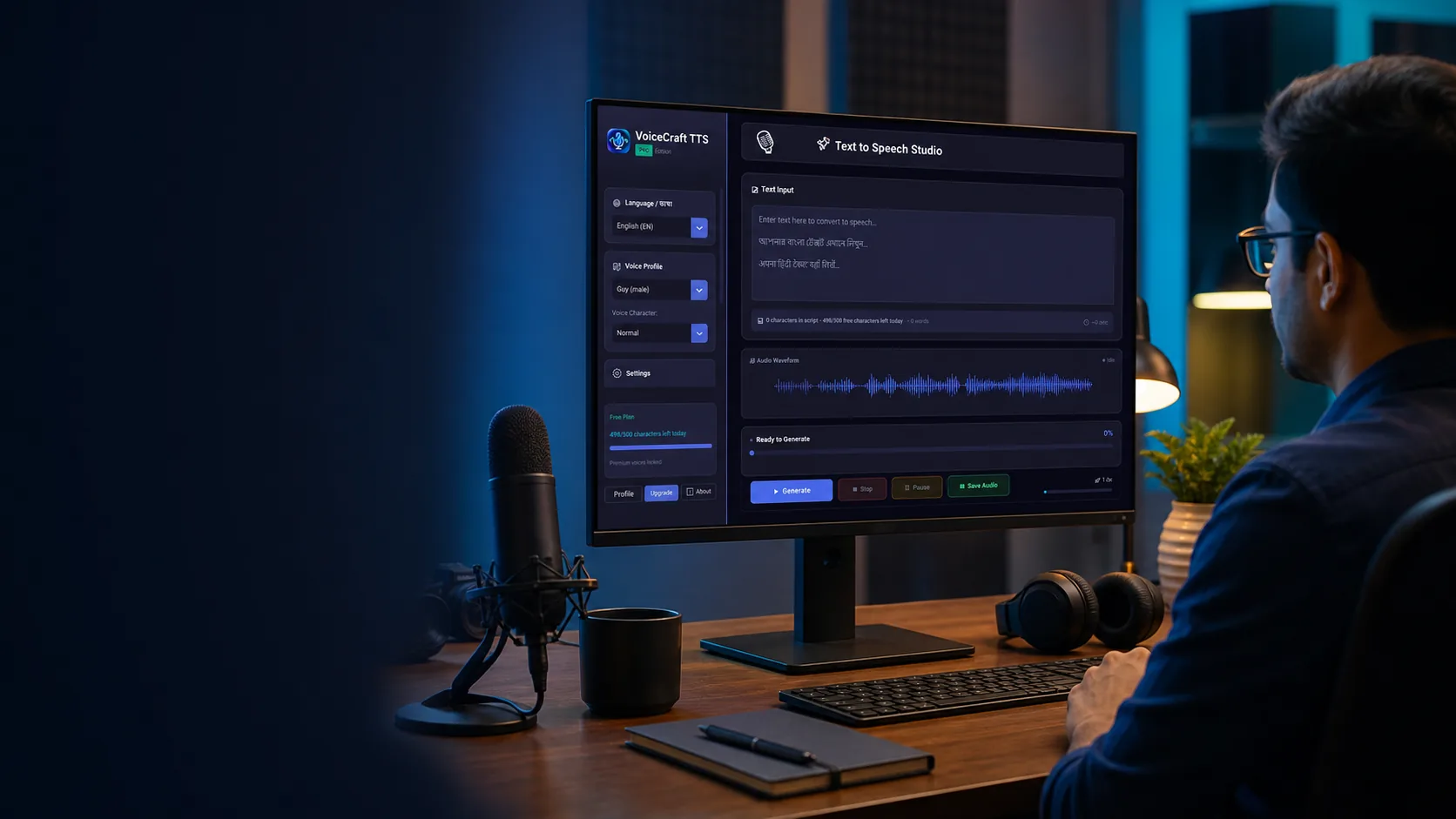
Creator using VoiceCraft TTS in a professional audio studio
AI voiceovers for serious creators

AI text to speech software for Hindi, Bengali and English voiceovers.

VoiceCraft TTS helps creators turn scripts into natural narration for YouTube videos, reels, online classes, product demos and business audio. It is a focused Windows TTS app: write, preview, adjust the voice and export polished audio without learning a studio tool.

Hindi text to speech Bengali voice generator YouTube voiceover tool
Real software preview

See the actual VoiceCraft TTS workspace before you install.

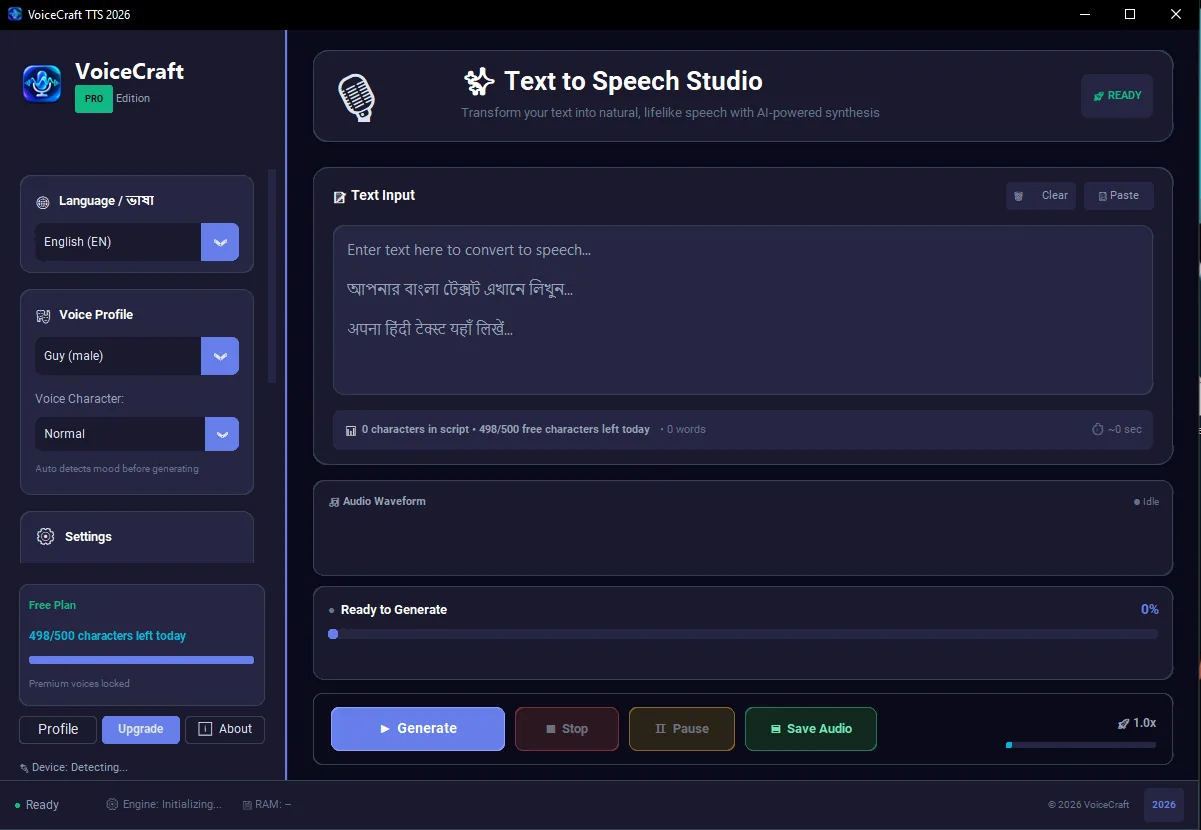
VoiceCraft is not only a landing page promise. The Windows app gives you a focused studio with language selection, voice profile, daily free character tracking, preview controls and clean export actions in one screen.

500 free characters dailyHindi, Bengali and English workflowMP3/WAV creator export
Actual VoiceCraft TTS Windows app interface with text input, voice profile, free plan usage and audio export controls
Why it feels different

Built around the way creators actually produce voiceovers.

Most people do not need a complicated audio suite just to make narration. VoiceCraft keeps the work simple: script in, voice selected, audio exported.

01

Fast script-to-audio flow

Paste your video script, choose a male or female AI voice, tune speed and pitch, then export MP3 or WAV audio for your editor, course platform or client delivery.
02

Made for Indian creators

Create English, Hindi and Bengali text to speech content for explainers, devotional videos, education channels, local business ads and regional social media pages.

03

Simple paid activation

Users can download the free Windows app, test the workflow, pay securely online and unlock Pro through their account after verified payment.

For daily production

A practical AI voice generator for people who publish often.

Use VoiceCraft when you need clear narration quickly, but still want control over language, voice style and export quality. It is designed for creators who make repeated content, not one-time demo clips.

WritePaste Hindi, Bengali or English scripts
PreviewTest voices before export
ExportSave polished audio files
Use cases

Rank-worthy voiceover workflows, not generic TTS demos.

VoiceCraft is positioned for search terms people actually use: AI text to speech, Hindi voice generator, Bengali text to speech, YouTube voiceover software and Windows TTS app.

YouTube narration

Create consistent AI voiceovers for explainers, news-style videos, faceless channels, product reviews and Shorts.

Education audio

Prepare Hindi, Bengali and English lessons, reading material, language practice clips and e-learning narration faster.

Business content

Generate product demo narration, local advertisement audio, IVR drafts, training content and announcement voiceovers.

Languages

English, Hindi and Bengali text to speech in one creator tool.

Separate SEO pages help users find the right language workflow, while the Windows app keeps production in one place.

Hindi Text to Speech

Use Hindi AI voices for YouTube narration, learning videos, devotional content, explainers, short-form reels and local business promotions.

Explore Hindi TTS

Bengali Text to Speech

Create Bengali voiceovers for Bangla tutorials, education content, storytelling, social media posts and regional creator channels.

Explore Bengali TTS

YouTube Voice Generator

Produce clean narration for product demos, presentations, courses, podcasts, startup videos and YouTube channels.

Explore YouTube voiceovers
Why choose a desktop TTS app?

More control for creators who do not want every voiceover to feel like a cloud credit meter.

A desktop-first workflow is easier for regular production. You can keep your scripts organized, generate drafts quickly, export files locally and upgrade only when you need Pro features.

For creatorsYouTube, reels, podcasts and storytelling
For educatorsLessons, reading material and language content
For businessDemos, ads, training and announcements
Creator guides

Learn how to make better AI voiceovers before you download.

Read practical articles for YouTube narration, Hindi text to speech, Bengali voice generation, reels, online classes and business voiceover workflows.

Best AI TTS for YouTube

A complete creator workflow for turning scripts into publishable narration without recording every line yourself.

Read the guide

Hindi and Bengali voiceover

Language-specific guidance for regional creators who want clearer narration for videos, classes and social content.

Explore Hindi TTS

Short-form and business audio

Use AI voiceover for reels, Shorts, local ads, product demos and weekly publishing calendars.

View all articles
Start free

Try the AI voiceover workflow before choosing Pro.

Download the Windows app, test Hindi, Bengali or English text to speech, then upgrade when you are ready for paid account activation.

Page-Specific Guide

Creator workflow overview

VoiceCraft TTS is for creators who need a repeatable way to turn scripts into clear narration for videos, lessons, reels and business messages.

script to speech workflow

For Creator workflow overview, A strong text to speech product page should explain the real production problem: creators do not only need a voice, they need a reliable workflow. VoiceCraft TTS keeps that workflow direct. The user prepares a script, chooses a voice, checks the pacing and exports audio for a video editor, course platform or client delivery folder.

In the context of script to speech workflow, This matters for regional creators because many channels publish in more than one language. A channel may need English product education, Hindi tutorials and Bengali social clips in the same week. A lightweight Windows app helps the creator keep those scripts organized and produce narration without rebuilding the setup every time.

regional creator voiceover

For Creator workflow overview, This matters for regional creators because many channels publish in more than one language. A channel may need English product education, Hindi tutorials and Bengali social clips in the same week. A lightweight Windows app helps the creator keep those scripts organized and produce narration without rebuilding the setup every time.

In the context of regional creator voiceover, The free daily allowance lets users test the app before paying. When the creator is ready to publish more often, account based activation keeps the paid experience clean. The purchase belongs to the user account, and the desktop app can refresh plan status after verified payment.

Hindi Bengali English narration

For Creator workflow overview, The free daily allowance lets users test the app before paying. When the creator is ready to publish more often, account based activation keeps the paid experience clean. The purchase belongs to the user account, and the desktop app can refresh plan status after verified payment.

In the context of Hindi Bengali English narration, A strong text to speech product page should explain the real production problem: creators do not only need a voice, they need a reliable workflow. VoiceCraft TTS keeps that workflow direct. The user prepares a script, chooses a voice, checks the pacing and exports audio for a video editor, course platform or client delivery folder.

Windows AI voiceover app

For Creator workflow overview, A strong text to speech product page should explain the real production problem: creators do not only need a voice, they need a reliable workflow. VoiceCraft TTS keeps that workflow direct. The user prepares a script, chooses a voice, checks the pacing and exports audio for a video editor, course platform or client delivery folder.

In the context of Windows AI voiceover app, This matters for regional creators because many channels publish in more than one language. A channel may need English product education, Hindi tutorials and Bengali social clips in the same week. A lightweight Windows app helps the creator keep those scripts organized and produce narration without rebuilding the setup every time.

Workflow Detail

Professional workflow notes

Creator workflow overview is expanded with practical context for this page only. This helps the page stay useful for readers and avoids copied SEO filler.

Windows AI voiceover app workflow

Windows AI voiceover app is discussed here only where it supports creator workflow overview. The free daily allowance lets users test the app before paying. When the creator is ready to publish more often, account based activation keeps the paid experience clean. The purchase belongs to the user account, and the desktop app can refresh plan status after verified payment.

VoiceCraft TTS is for creators who need a repeatable way to turn scripts into clear narration for videos, lessons, reels and business messages. For this URL, the keyword coverage stays tied to Windows AI voiceover app and the user action expected from this page.

Hindi Bengali English narration workflow

Hindi Bengali English narration is discussed here only where it supports creator workflow overview. A strong text to speech product page should explain the real production problem: creators do not only need a voice, they need a reliable workflow. VoiceCraft TTS keeps that workflow direct. The user prepares a script, chooses a voice, checks the pacing and exports audio for a video editor, course platform or client delivery folder.

VoiceCraft TTS is for creators who need a repeatable way to turn scripts into clear narration for videos, lessons, reels and business messages. For this URL, the keyword coverage stays tied to Hindi Bengali English narration and the user action expected from this page.

regional creator voiceover workflow

regional creator voiceover is discussed here only where it supports creator workflow overview. This matters for regional creators because many channels publish in more than one language. A channel may need English product education, Hindi tutorials and Bengali social clips in the same week. A lightweight Windows app helps the creator keep those scripts organized and produce narration without rebuilding the setup every time.

VoiceCraft TTS is for creators who need a repeatable way to turn scripts into clear narration for videos, lessons, reels and business messages. For this URL, the keyword coverage stays tied to regional creator voiceover and the user action expected from this page.

script to speech workflow workflow

script to speech workflow is discussed here only where it supports creator workflow overview. The free daily allowance lets users test the app before paying. When the creator is ready to publish more often, account based activation keeps the paid experience clean. The purchase belongs to the user account, and the desktop app can refresh plan status after verified payment.

VoiceCraft TTS is for creators who need a repeatable way to turn scripts into clear narration for videos, lessons, reels and business messages. For this URL, the keyword coverage stays tied to script to speech workflow and the user action expected from this page.

Practical FAQ

Questions this page answers

Creator workflow overview has its own FAQ so this URL is useful on its own and does not depend on repeated sitewide SEO filler.

Is this page written for real users?

Yes. Creator workflow overview answers a specific visitor intent: A strong text to speech product page should explain the real production problem: creators do not only need a voice, they need a reliable workflow. VoiceCraft TTS keeps that workflow direct. The user prepares a script, chooses a voice, checks the pacing and exports audio for a video editor, course platform or client delivery folder.

How does activation work?

For this page topic, activation is explained practically. The free daily allowance lets users test the app before paying. When the creator is ready to publish more often, account based activation keeps the paid experience clean. The purchase belongs to the user account, and the desktop app can refresh plan status after verified payment.

What should users test first?

Before making a decision from Creator workflow overview, users should test a real script. This matters for regional creators because many channels publish in more than one language. A channel may need English product education, Hindi tutorials and Bengali social clips in the same week. A lightweight Windows app helps the creator keep those scripts organized and produce narration without rebuilding the setup every time.

Why does this content mention keywords?

The page covers script to speech workflow, regional creator voiceover, Hindi Bengali English narration, Windows AI voiceover app because these searches match the user intent for this specific page.